Your companyLinkedIn · draft
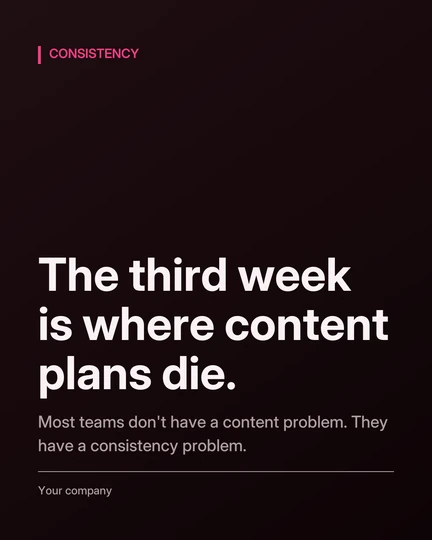
Most teams don’t have a content problem. They have a consistency problem.
CH. 01
Launching 11 · 11 · 2026
Its agents research, write, picture and schedule every post. Not one of them publishes until you say so — or until you tell it that it can.
Publish on time · runs without you
LinkedIn · scheduled posts · every claim reported
Scheduled posts go on time, and you are told what each one claimed. Naming a customer or quoting a person is still blocked.
CH. 02 — THE CONTROL ROOM
Its researcher reads what your market is talking about this morning — Reddit, Hacker News, GitHub and your own feeds — and picks the story worth a post. Its writer turns it into a post in your voice.
01/ 05 · Write
CH. 03 — THE WORK
Today
Today that is you at eleven at night, or an agency you brief every week and chase every month.
From tonight
It never misses a week.
Today
Today that is a shared inbox nobody owns, and a reply that goes out two days after it mattered.
From tonight
The reply is written before you read the question.
Today
Today that is a list somebody bought and one template sent to every name on it.
From tonight
Two hundred people, two hundred letters.
All three run at the same time, all night, for one flat fee — not one licence per job and not one seat per person.
CH. 04 — THE PICTURE
A card drawn from your templates by default. An AI image made for that post, your own picture, or none — set it for the workspace, or change it for one post.
Most teams don’t have a content problem. They have a consistency problem — the third week is where it always dies.
Card. Drawn from your templates, in your colours, from the post's own words. Free, and the default.
Templates
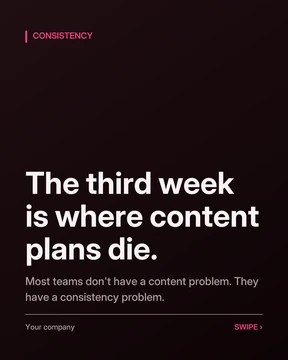
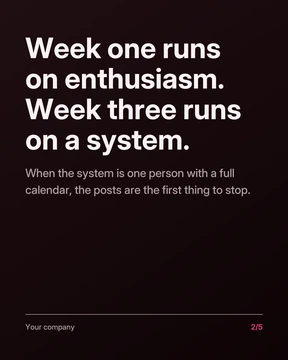
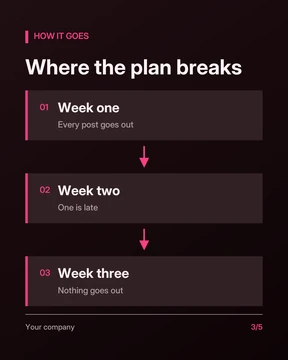
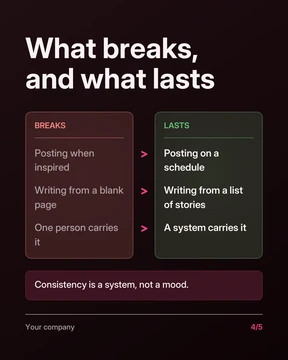
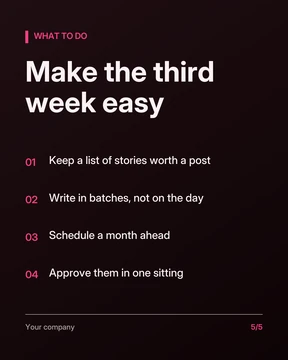
One post, five slides. One picture, a short set, or a swipeable carousel — in the shape each platform wants.
CH. 05 — THE CHECK
The third week is where most content plans die. LinkedIn lets you post a PDF as a swipeable document. Our reach grew 340% in a month. Three of the big four banks already use it. It is the only tool that checks its own work.
Nobody measured it. A figure needs a source with its scope and date.
In every setting
By default
Overrule a single post if you must. Your name goes on the record.
CH. 06 — THE KEY
Press one and watch last night’s work decide again. Set it per agent and per client — an agency can run one client on autopilot and another on approve-first, in the same login.
One switch stops it. Every agent, every platform, at once — enforced by the database, not by a screen.
CH. 07 — IN YOUR POCKET
A phone app built for one job: seeing what is ready, and deciding in seconds. Until it lands, Telegram tells you the moment a post is ready.
A notification the moment a post is ready, and a countdown when one is due.
The post as it will look, where it will go, and what the fact-check found.
Approve and publish, schedule, save to draft, or decline with a reason.
Review, approve and schedule from your phone, with a notification the moment work is ready.
A message with the post and its picture, the moment it is ready for you.
A morning summary of what is ready, and a note when something needs you.
CH. 08 — EVERYTHING IN THE BOX
Only if you switch that on. Out of the box everything waits for you. Switched on, scheduled posts go out on time and you are told what each one claimed — a post that names a customer or quotes a person is still held. Replies and prospect letters always wait for a person, because the database refuses to send them otherwise.
It is built not to. Every post is broken into the claims it makes and each is checked against a source. By default a figure nobody measured, an outcome nobody reported, a customer you do not have or a quote nobody said is refused. You can relax the first two for your own posts; naming a customer or quoting a person is refused in every setting.
You tell it about your business once. Every draft is scored on seven points before it reaches you, brand voice among them.
Yes. Write one yourself and it goes through the same fact-check, picture and schedule as everything it writes.
Every post can carry a card drawn from your templates, an AI image made for it by the image model you choose, a picture you upload, or no picture at all. You can bring your own card templates, your brand background and your logo.
Not yet — video is coming. Today it makes cards, AI images and swipeable carousels.
LinkedIn, Gmail and Telegram work live today. X, Instagram, Facebook, Reddit and Outlook are built and waiting on those platforms' approval. Threads, Bluesky, YouTube, TikTok and more are planned. Ask us about any of them and you will get a straight answer.
Your choice: eight vendors, including a model that runs on your own computer. Every answer records which model gave it, and every call is priced as it happens.
Pricing is announced at launch. Ask for early access and we will walk you through it.
Ask us for early access, and we will tell you plainly what it can do for your business today.
LAUNCHING 11 · 11 · 2026
LinkedIn takes about a minute. That is the whole setup.
Once. It writes in your voice from then on.
Approve what you like. Turn on autopilot for what it has earned.
EARLY ACCESS · NOTHING GOES OUT BEHIND YOUR BACK · ONE SWITCH STOPS EVERY AGENT